Selecting a Night Destination
You can select which night destination (from among up to eight internal night destinations) will answer incoming calls. To do this, either select a predefined night destination  or enter one manually.
Predefined night destination

Step by Step
|
|

|
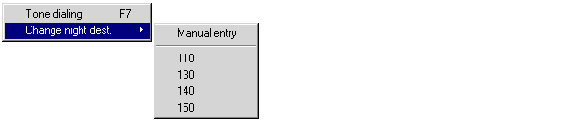
From the Edit menu, select the Change night dest. option. The following pull-down menu appears, from which you can select a night destination. The following pull-down menu appears:
|

|
Select a night destination. The night destination selected is identified by a check mark.
After you activate the nicht service , all calls are forwarded to this night destination.
|
Entering a night destination manually
Step by Step
|
|

|
Select the Change night dest. option from the Edit menu. The following pull-down menu appears:

|

|
Select the "Manual input" option.
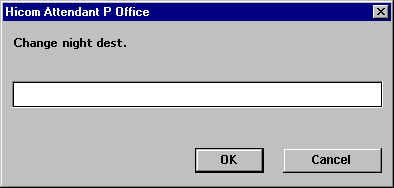
The following window appears:
|

|
Enter the night destination number and click OK to confirm.
To select the night service programmed in the system by the system administrator, enter an asterist (*) for the night destination.
After you activate the night service , all calls are forwarded to this night destination.
|


